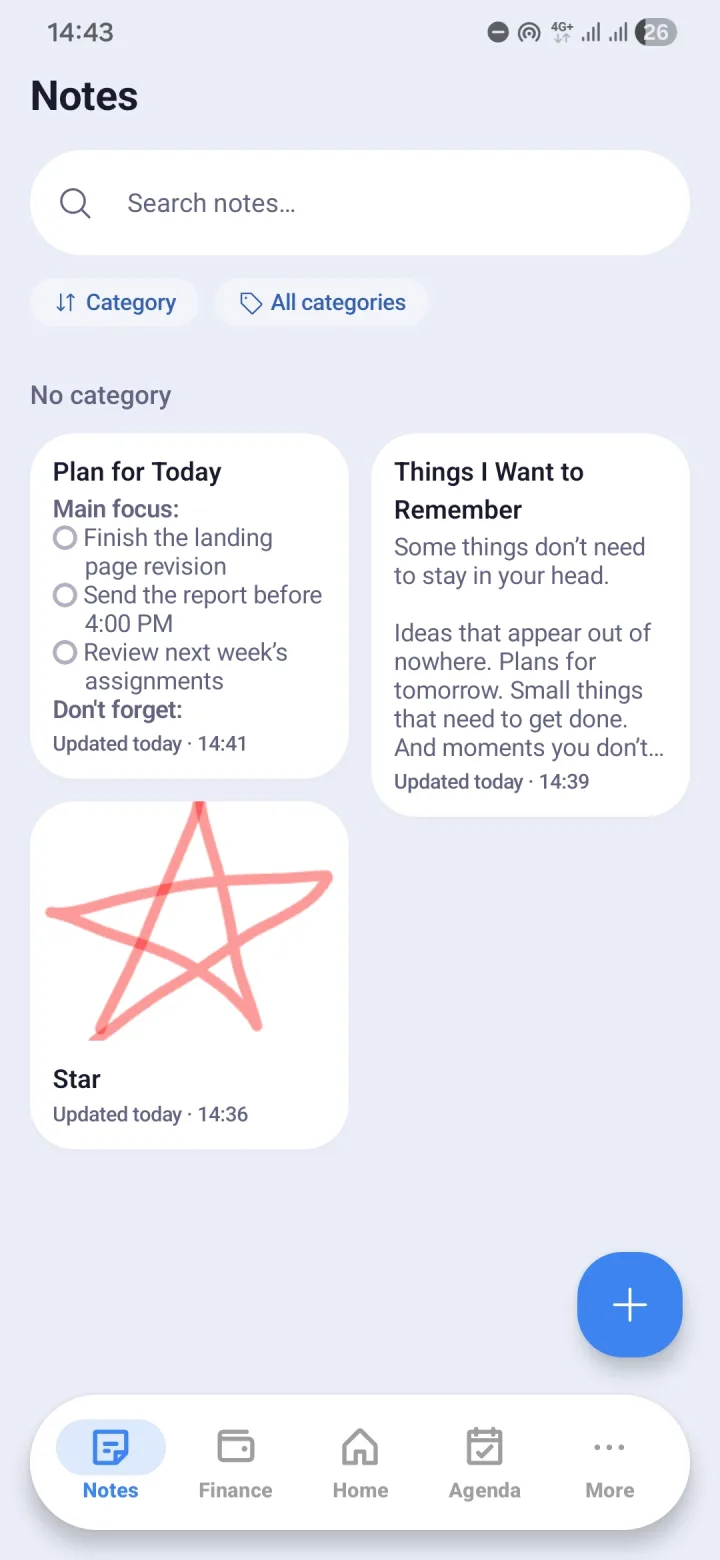
One editor for every kind of note
There is no need to pick a note type up front. Start with free text, turn part of it into bullets, then make the rest a checklist once it turns out to be a shopping list.
Images can sit right between paragraphs. For things that are quicker to draw than to type, there is handwriting with a pen, and Morvyn remembers the pen colours you used last. Maths formulas can be written inside a note too.
- Free text, bullet lists, and checklists in one editor
- Images and handwritten sketches inside a note
- Maths formulas
- Your own categories, plus sorting and filters
- Quick search across every note
PDF attachments, with a reader built in
PDFs can be attached to a note and read right inside Morvyn, without switching apps. Your reading position is remembered, so opening the same PDF tomorrow takes you back to the page you left.
Paper documents can be scanned into PDFs with the camera, using Google's ML Kit document scanner. The result is saved as a PDF in your notes. The PDF reader then recognises the text on scanned pages, so it can be searched and selected. That recognition runs on your own phone, with models for Latin, Chinese, Japanese, Korean, and Devanagari scripts.
Notes that connect to the rest of your day
In most apps, a note is just a text box. In Morvyn, one note can link to a task in Agenda, a transaction in Finance, and a target in Habits.
Take a meeting note. The tasks that came out of it become tasks in Agenda, the subscription that needs paying becomes an entry in Finance, and the agreement to report progress every morning becomes a target in Habits. Open the note and all of that context opens with it.
Widget and recovery
The Notes widget puts a note you choose on your phone's home screen, and its checklist items can be ticked from there without opening the app.
Deleted notes do not vanish immediately. Morvyn keeps them for 7 days so they can be restored, then clears them automatically.
Your notes stay on your phone
Morvyn has no server of its own. Notes, images, sketches, and PDFs are stored on your device, and in your own Google Drive only if you turn on backup. Himiko Lab cannot read anyone's notes.
Questions and answers
- Are my notes sent to a server?
- No. Notes are stored on your device. If you turn on backup, a copy is kept in the app data folder of your own Google Drive, which Himiko Lab cannot access.
- Can Morvyn scan documents into PDFs?
- Yes. The document scanner turns photos of a document into a PDF saved in your notes, and the text on its pages is recognised on your phone so it can be searched.
- Can deleted notes be restored?
- Yes, for 7 days after deletion. After that they are cleared automatically.