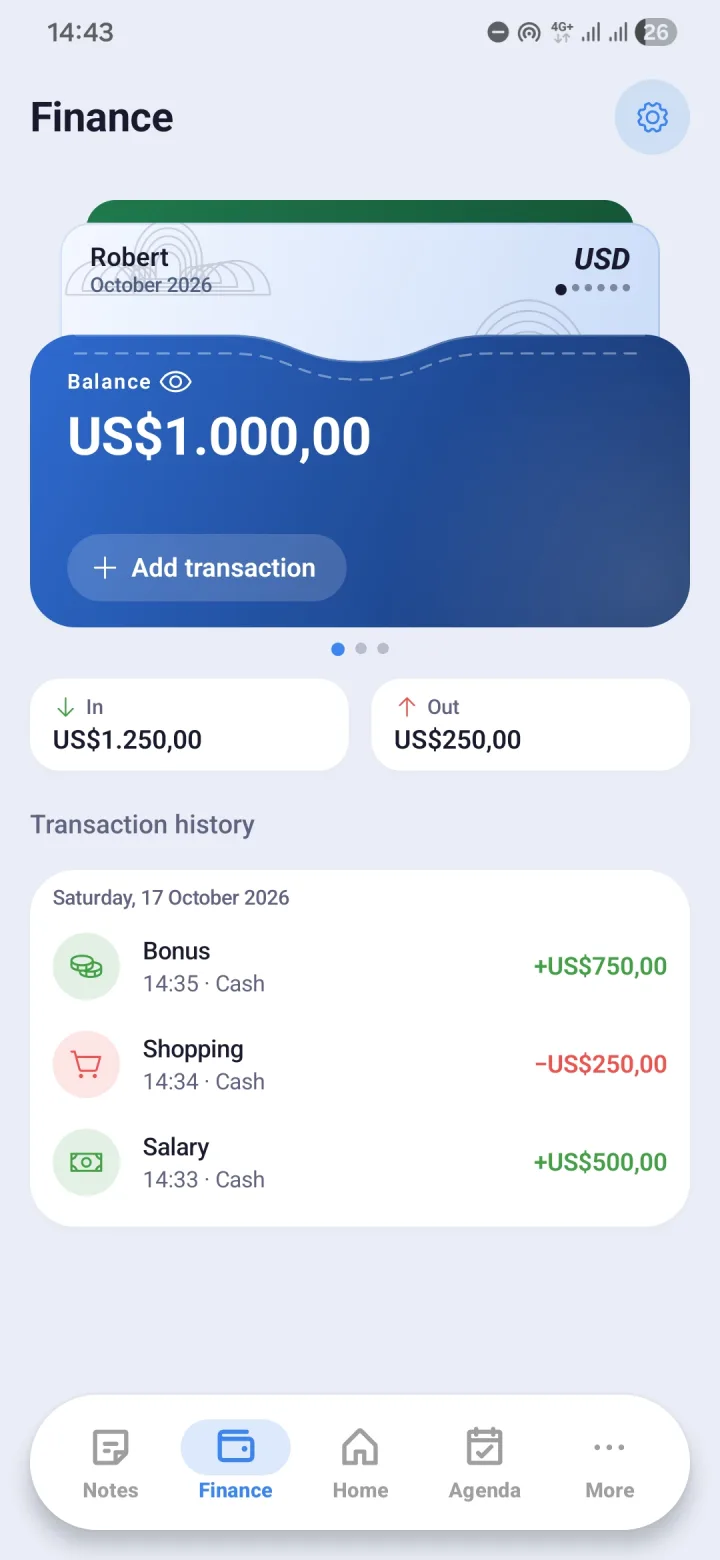
Several wallets, one picture
Money rarely lives in one place. Create a wallet for each place it lives, then record every transaction against the right one. When money moves, say a cash withdrawal from your bank account, transfer the balance between wallets so the numbers keep matching.
The balance card's pattern can be changed, and the number format and main currency are set in Settings.
- Multiple wallets, with transfers between them
- Income and expense categories you can adjust
- Charts to see your spending pattern
- A quick-add transaction screen
Where a transaction happened, if you want
Each transaction can carry a place, and that field can be filled from where you are at the time. What gets saved is the place name, or coordinates if no name is available. The location permission is optional.
Currency rates
Exchange rates come from open.er-api.com and can be checked straight from Finance. The only thing sent there is the request for rates, never your financial data.
Hide your balance, on the widget too
Opening a finance app in public should not mean showing your balance to the person next to you. The hide-balance toggle covers the numbers, and that setting also applies to the Finance widget on your home screen.
Deleted transactions are kept for 7 days so they can be restored, then cleared automatically.
Connected to Notes
A transaction can be linked from a note. A meeting note that mentions a design tool subscription, for instance, can record the expense in Finance on the spot.
Questions and answers
- Does Morvyn connect to my bank account or e-wallet?
- No. Morvyn records the transactions you enter yourself. There is no connection to any bank, e-wallet, or payment service.
- Is my financial data sent anywhere?
- No. Amounts, categories, wallet names, and transaction notes are stored on your device, and in your own Google Drive only if backup is turned on.
- Where do the exchange rates come from?
- From open.er-api.com. Morvyn only asks for the rates and sends nothing about your finances.