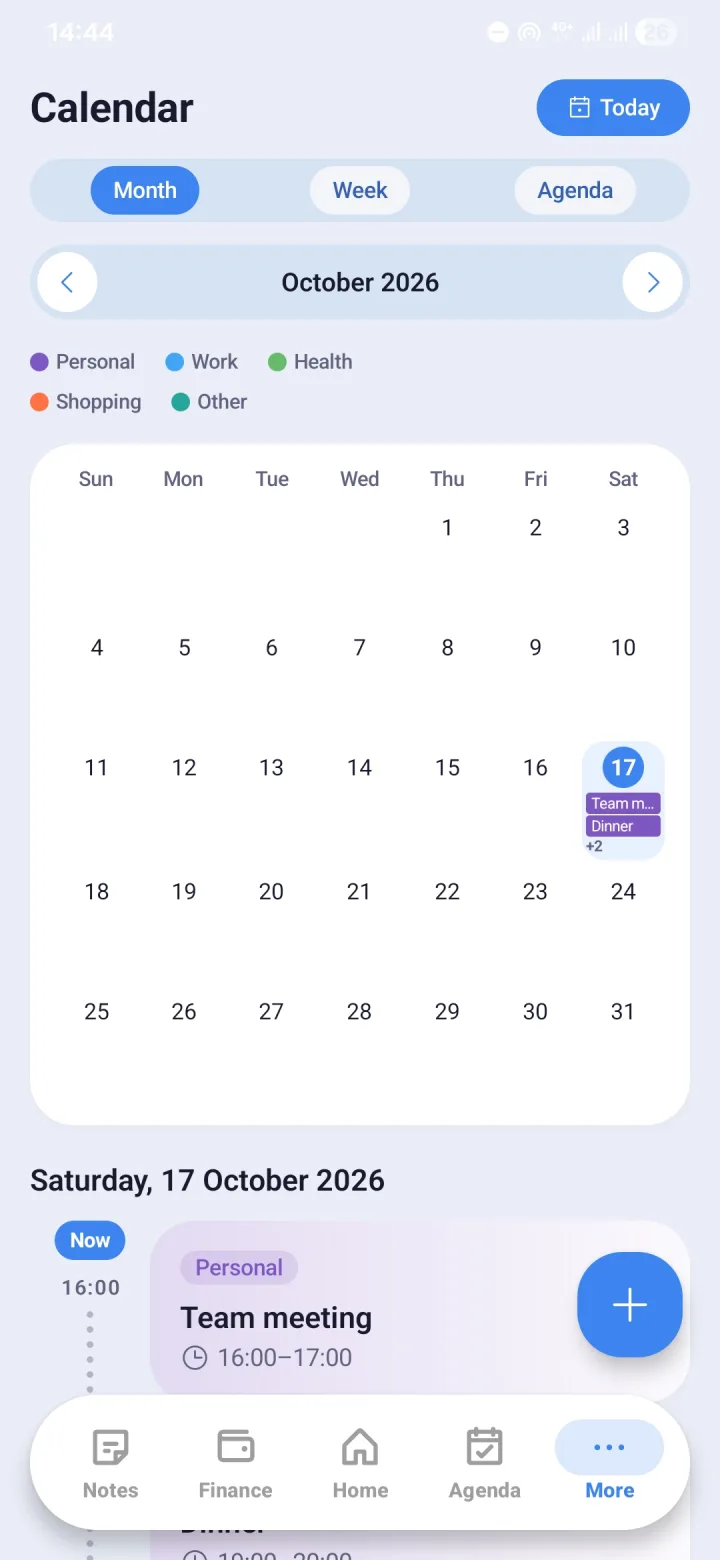
Tasks and events sit on their dates
Every event and task you create in Agenda shows up in Calendar on its date automatically. Nothing needs to be entered twice.
- A full, uncluttered month view
- Tasks and events sit on their dates
- Wired directly into Agenda
- Optional two-way sync with Google Calendar
Sync with Google Calendar
When you turn it on, Morvyn reads and writes events on one Google calendar that you choose. Events from Google Calendar appear in Morvyn's Calendar, and events you create in Morvyn are sent to that Google calendar.
Syncing is optional and off by default. Disconnecting it in Settings removes the Google events from Morvyn and deletes from Google Calendar the copies of schedules that Morvyn created. Events you made yourself in Google Calendar are left alone.
No one's server in between
Calendar data only moves between your phone and Google. Morvyn has no server, so Himiko Lab holds no copy of your schedule.
Questions and answers
- Does Morvyn read all of my Google calendars?
- No. Syncing only touches the one calendar you choose.
- What happens if I disconnect Google Calendar sync?
- Google events are removed from Morvyn, and the copies of schedules Morvyn created are deleted from Google Calendar. Events you made yourself in Google Calendar stay.
- Can Calendar be used without a Google account?
- Yes. Google Calendar sync is optional; without it, Calendar still shows the events and tasks from Agenda.